


Great video footage often comes with a problem:watermarks. Traditional removal meant hours in editing software, erasing logos frame by frame through manual labor. Vmake AI promises a different approach—automated watermark removal that takes seconds instead of hours.
Here’s a detailed look at the technology, performance, and overall value proposition of Vmake AI’s Watermark Remover feature.
What is Vmake AI Video Watermark Remover?
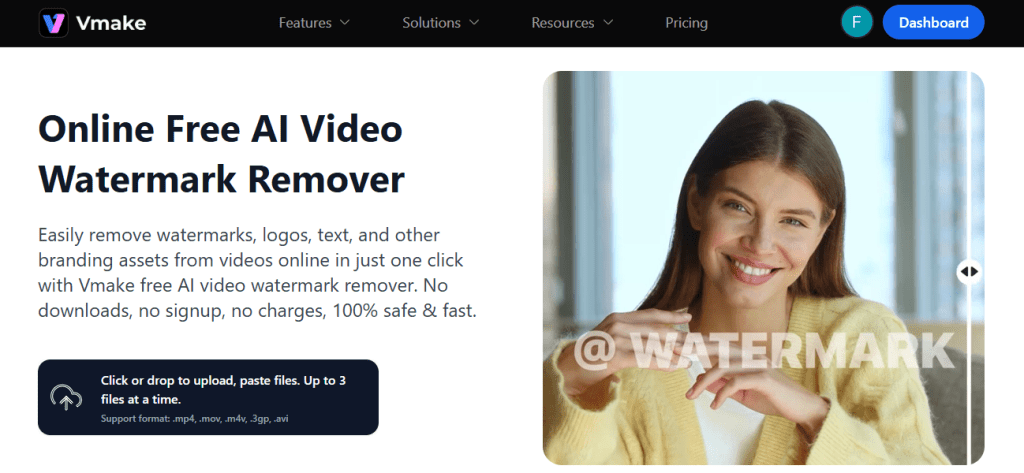
Vmake is an all-in-one AI content studio that provides video and image editing capabilities through a web-based platform. The platform combines multiple editing tools under one roof, with the video watermark remover being one of its flagship features.
In contrast to traditional video editing software which requires a download and some technical know-how, Vmake is fully operable in your browser and is user-friendly as it works through simple prompts.
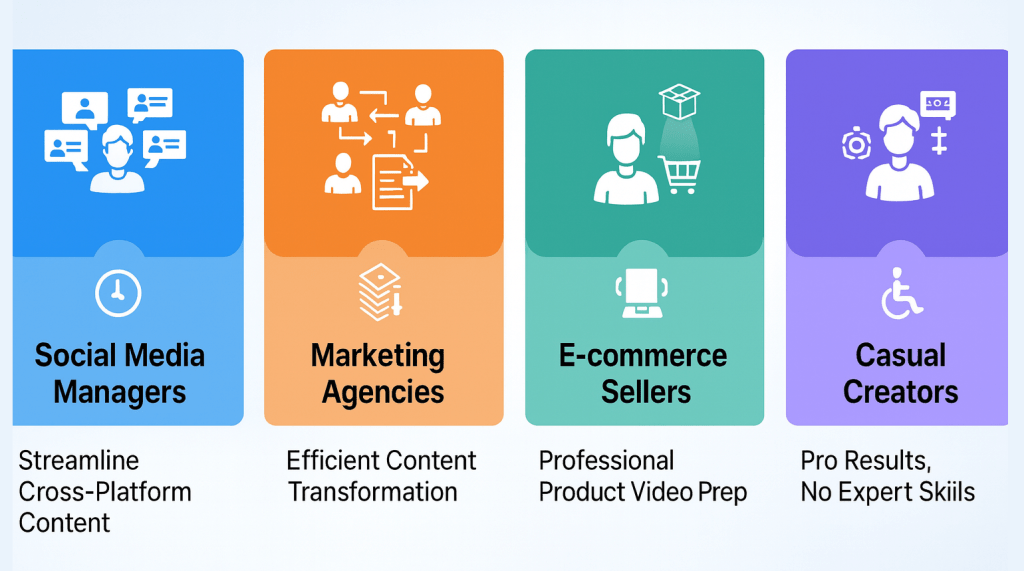
The platform is designed to meet the needs of numerous users who include social media managers reusing content for different platforms, marketing agencies creating new videos for clients, e-commerce sellers filming products, and regular creators who want to get a great result but don’t have the necessary skills.
How Vmake AI’s Video Watermark Remover Works? Core Technology
Understanding how Vmake removes watermarks helps set realistic expectations. The system uses deep learning models and inpainting techniques, where Vmake AI’s predicts the pixels that should exist behind the watermark by analyzing surrounding pixels and motion patterns across frames. This process happens automatically once you upload your video.
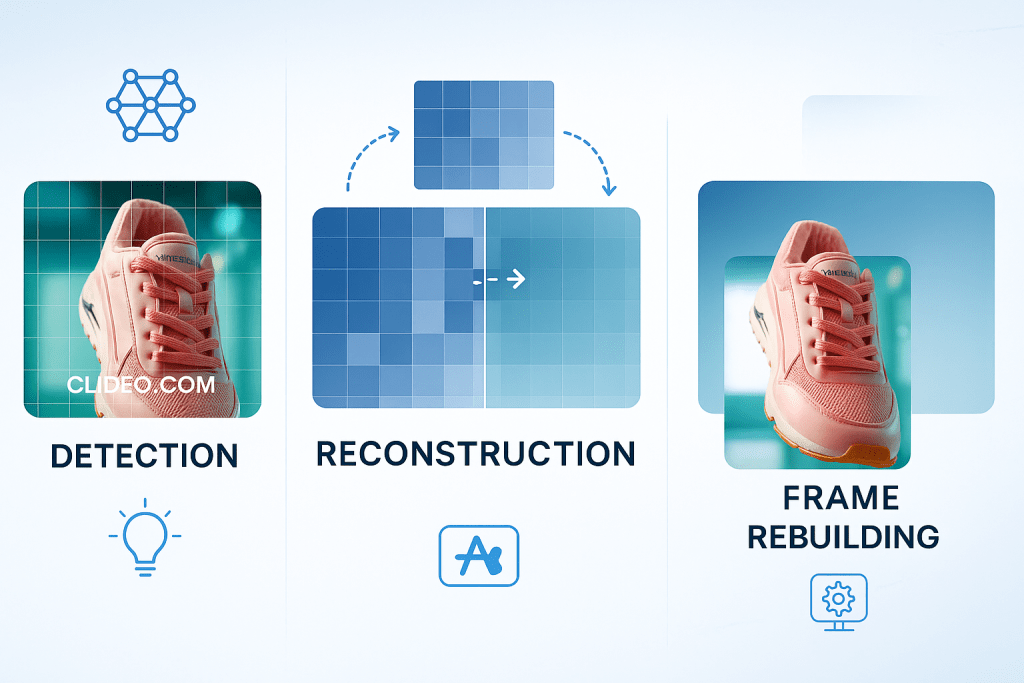
You just need to UPLOAD the video and let the system scan the footage. The Vmake AI then maps the watermark area, reconstructs the missing sections, and rebuilds the frames in sequence. This keeps the workflow fast while still delivering strong visual results across most video types.
The Vmake AI follows a three-step internal process: detection (identifying watermark locations), reconstruction (filling in missing areas), and frame rebuilding (applying edits consistently across all frames). Vmake claims up to 98.7% accuracy in watermark removal across major video formats.
Key Strengths of Vmake AI’s Video Watermark Remover
Vmake’s video watermark remover offers several advantages that make it stand out in the crowded field of AI editing tools:
- Accessibility Without Technical Barriers: Users do not need to master complicated software like Adobe Premiere to fix video issues. The interface demands no learning – results appear right away.
- Speed and Automation: The system handles every step without human input and finishes far sooner than editors who correct frames one by one cutting post production by hours. For numerous users, that time reduction alone pays for the service.
Security and Privacy: The system encrypts every uploaded file. And once it removes watermark, it erases the file automatically, which answers privacy worries about sensitive material.
How to Use the Vmake AI Video Watermark Remover
The user experience prioritizes simplicity. Here’s the actual workflow:
Step 1: Upload Your Video
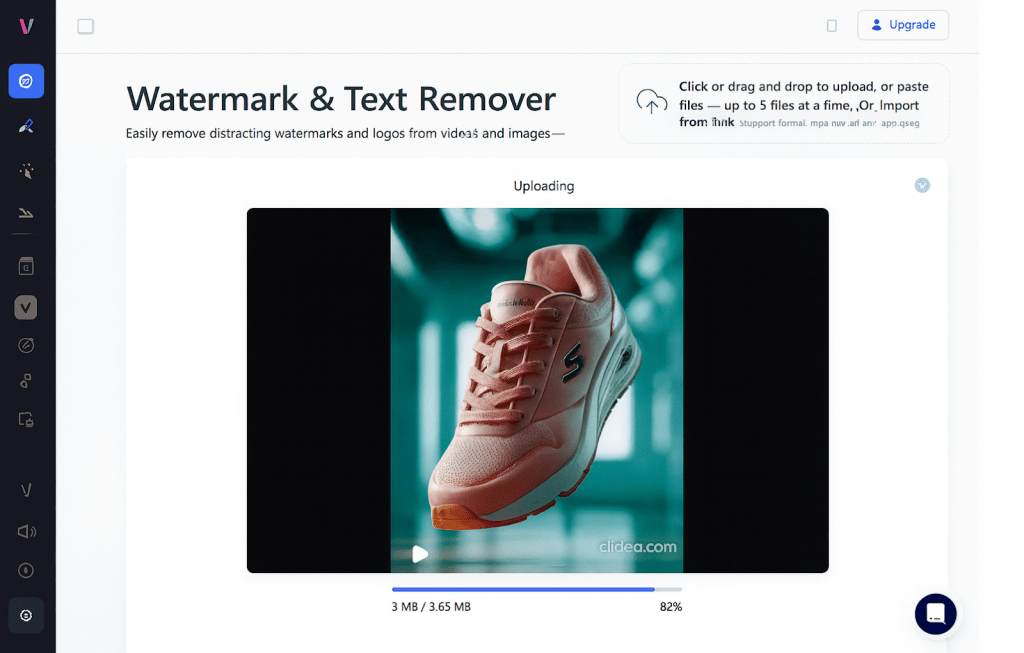
Visit the platform and drag and drop your video file, with support for formats including MP4, MOV, M4V, 3GP, and AVI. You can process up to three videos simultaneously, with each file getting its own card in the interface.
Step 2: Automatic Detection
The system immediately begins scanning your video for watermarks.
Vmake’s algorithm automatically detects watermark placements, including corner logos, translucent overlays, and branded text. No manual selection required for most cases.
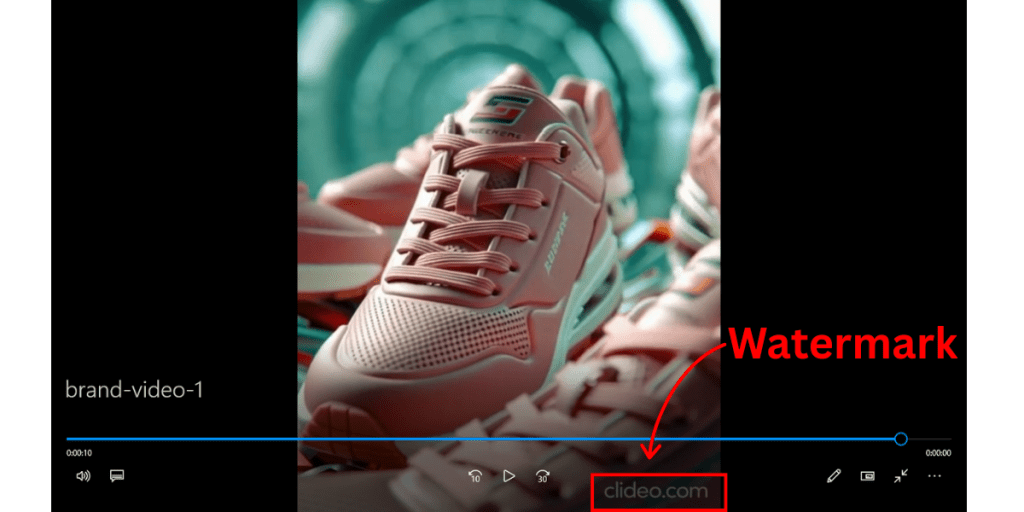
Step 3: Preview and Download
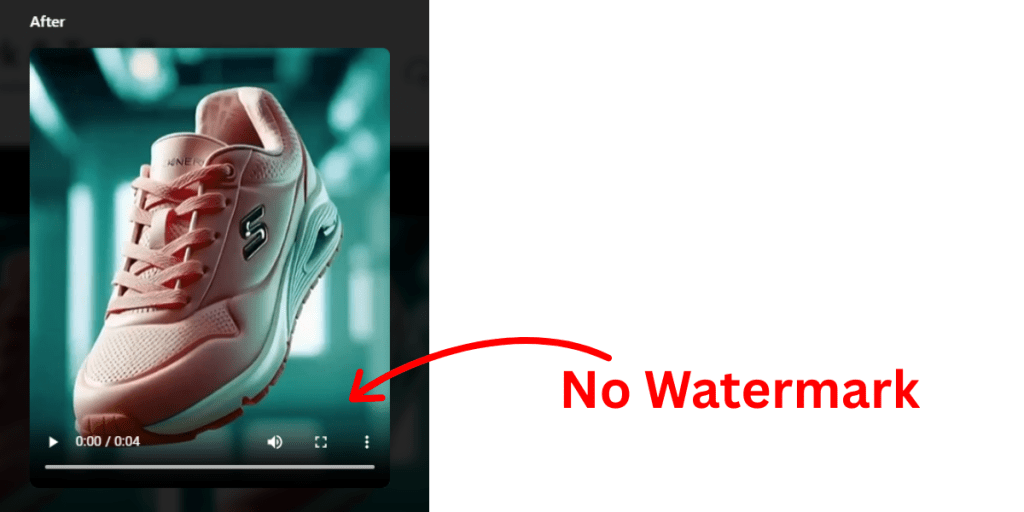
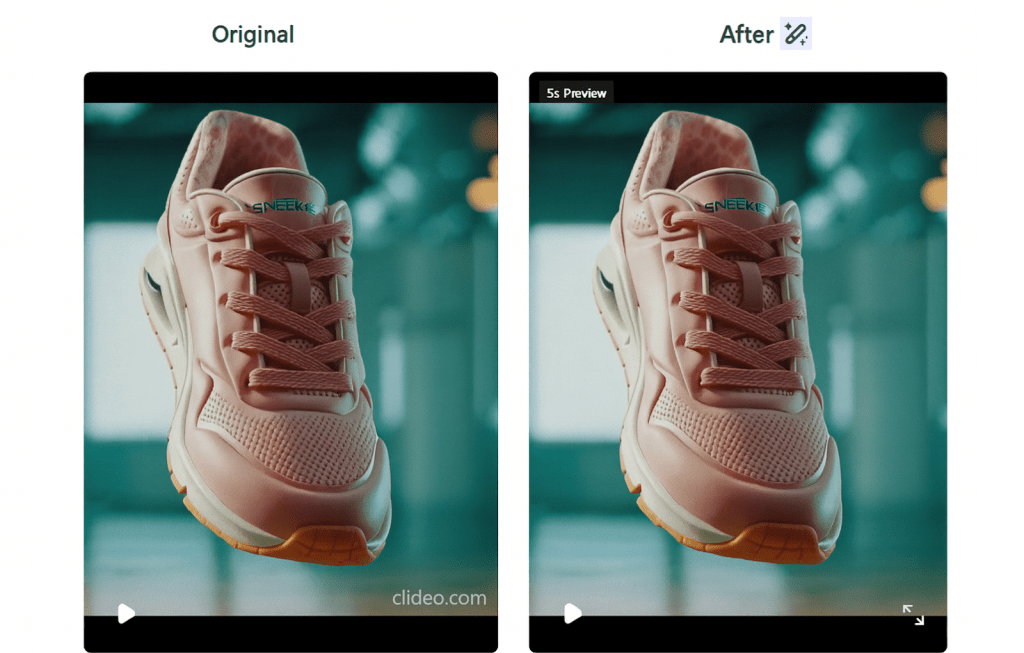
The watermark removal process is completely automatic, and you can preview the cleaned video on the right side of each card.
Once satisfied, download your file. The free version allows downloading the first five seconds, while full video downloads require credits or a subscription.
Step 4: Enhance the videos
The users can also use the video quality enhancer to upscale the video quality to 4K if you need to use the videos for some special occasions.
Performance and Accuracy
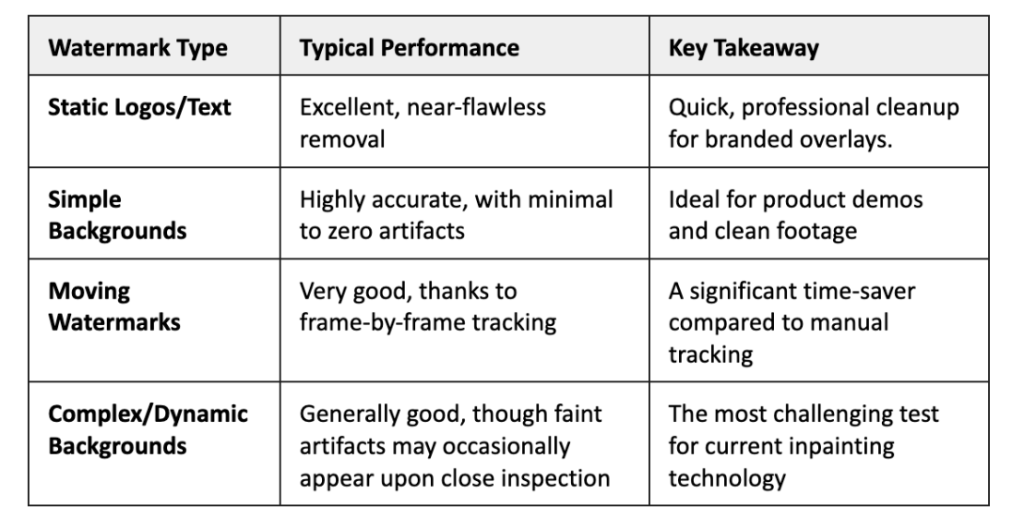
The tool’s efficacy is the most important factor for any content creator. While Vmake AI offers high-speed processing, its actual performance is directly influenced by the complexity of the video and the nature of the watermark being removed.
Supported Platforms and Formats
Vmake is compatible with the major social media players that most people use. With the help of this tool, one can easily get rid of the watermarks from videos, which are the common sources of Sora, Gemini, Instagram, TikTok, YouTube, and other such platforms.
For creators who want to reuse the content in different channels, this cross-platform compatibility is very important.
The format support covers standard video files, with the platform working with any resolution while maintaining a 98.7% success rate across these formats. Whether you’re working with vertical mobile clips or widescreen desktop recordings, Vmake processes them equally.
Batch Processing Capabilities
While individual content creators may handle the editing of one video at a time, groups and agencies have a need for mass or volume processing. Vmake is able to facilitate multiple removals of watermarks without the inconvenience of users having to work separately on each video.
Thus, a great number of videos can be uploaded for processing simultaneously with AI-powered precision. When one has to deal with the cleaning of a large number of UGC submissions or the refreshing of an entire library of old content, this batch operation definitely turns out to be indispensable.
The batch processing framework is capable of delivering stable quality to all the files that have been processed and this is what counts for the maintenance of the brand’s uniformity. Marketing teams get a chance to work through a whole campaign’s footage in one go instead of handling each clip separately.
How Vmake AI Video Watermark Remover Compares to Alternatives
The competitive landscape includes several options. Adobe Premiere Pro offers manual masking and tracking but requires significant skill and time. Other AI tools like AdpexAI focus on subtitle removal, while AniEraser emphasizes object removal beyond watermarks.
Vmake distinguishes itself through speed and workflow integration as an all-in-one suite rather than specialized single-function tools. The trade-off comes in granular control—specialized tools may offer more precision while Vmake prioritizes convenience.
Key capabilities that extend Vmake beyond watermark removal include:
- Vmake Agent – Handles creative strategy, scripts, UGC-style ads, B-roll ideas, branding, and batch edits through simple prompts.
- Auto Captions & Editor – Seven-language caption support, fast word-level edits, and social-ready subtitle templates.
- AI Thumbnail Generator – Creates branded thumbnails from uploaded images or videos with smart color and text placement.
- AI Hook Generator – Produces short opening clips designed to lift retention and improve performance on short-form platforms.
Together, these features position Vmake as a fast, all-in-one system for producing high-performing short videos. It streamlines planning, editing, and packaging, giving creators a direct path from idea to ready-to-publish content.
Who Should Use Vmake?
The Verdict
Vmake’s watermark remover offers real value for creators who want fast results without complex tools. It handles most videos with solid accuracy and trims hours from the editing process. The platform feels simple, quick, and practical for daily use. If your priority is convenience and clean output at a fair cost, Vmake earns its place in your workflow.
Getting Started
Visit vmake.ai to begin. No signup required for initial testing. Upload a sample video, let the AI process your preview, and evaluate the results before deciding on a plan. The five free credits provide enough runway to test multiple scenarios and determine if the tool fits your creation workflow!
WE SAID THIS: Don’t Miss…Egypt Ranks 1st in Africa in Oxford Insights Government AI Readiness Index 2025